Asset-aware guidance
Optional text guidance helps the workflow understand whether the image is an icon, sprite, item, tile, or UI element.
Small Game Art Enhancement
Enhance small sprites, icons, item art, tiles, and UI assets with prompt-aware upscaling, sharpening, optional cleanup guidance, and transparent alpha-background output.
Best for: sprite cleanup, item icons, tile tests, inventory art, UI ornaments, and prototype asset polish.
Before / After Demo
This example starts from a small low-resolution skeleton fighter image and produces a cleaner, richer HD character asset with stronger materials, readable armor, sharper weapon detail, and a clear background so the character can be layered into scenes, inventory cards, or UI panels.

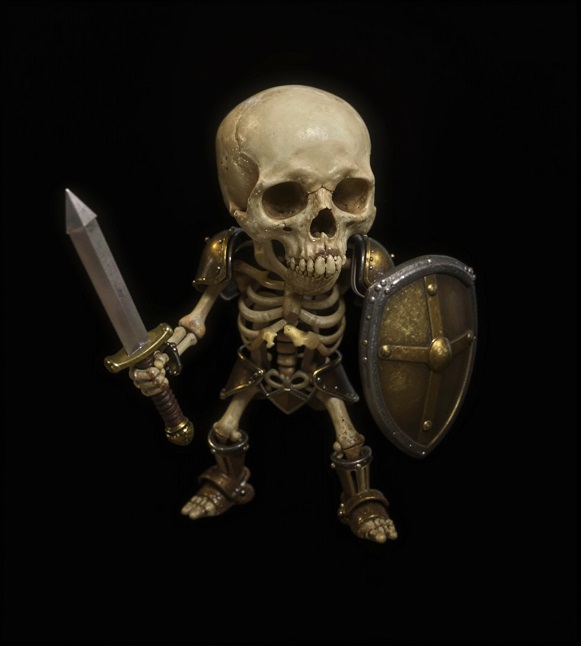
Game Asset Upscaler combines image upscaling with prompt-guided refinement. It is useful when a small asset needs cleaner edges, richer texture, alpha transparency, and a higher-resolution export without changing the creative direction.
Optional text guidance helps the workflow understand whether the image is an icon, sprite, item, tile, or UI element.
Use a negative prompt to reduce blur, noisy edges, stray text, watermark-like artifacts, or unwanted style drift.
Review the upscaled image in GenStudio and download an alpha-transparent result for prototype use, layering, or art review.